Super Bear Adventure Old Versions Download for Android & PC
Explore Super Bear Adventure old versions for Android and PC. Discover classic gameplay and previous updates, then download your preferred version and relive the adventure!
Super Bear Adventure has changed a lot since its first release in 2017. Earthkwak Games has added new levels, a reworked Hive, multiplayer, Hardcore Mode and hundreds of cosmetic items through regular updates.
Some players still look for older versions. Their phone may not support the latest update, they may miss a removed feature, or they may simply prefer how the game used to play.
This page lists the main Super Bear Adventure old versions, what changed in each one, and how they compare with the latest release. You will also learn how to play them on Android and PC, and the risks to know before you install one.
Super Bear Adventure Old Version Details
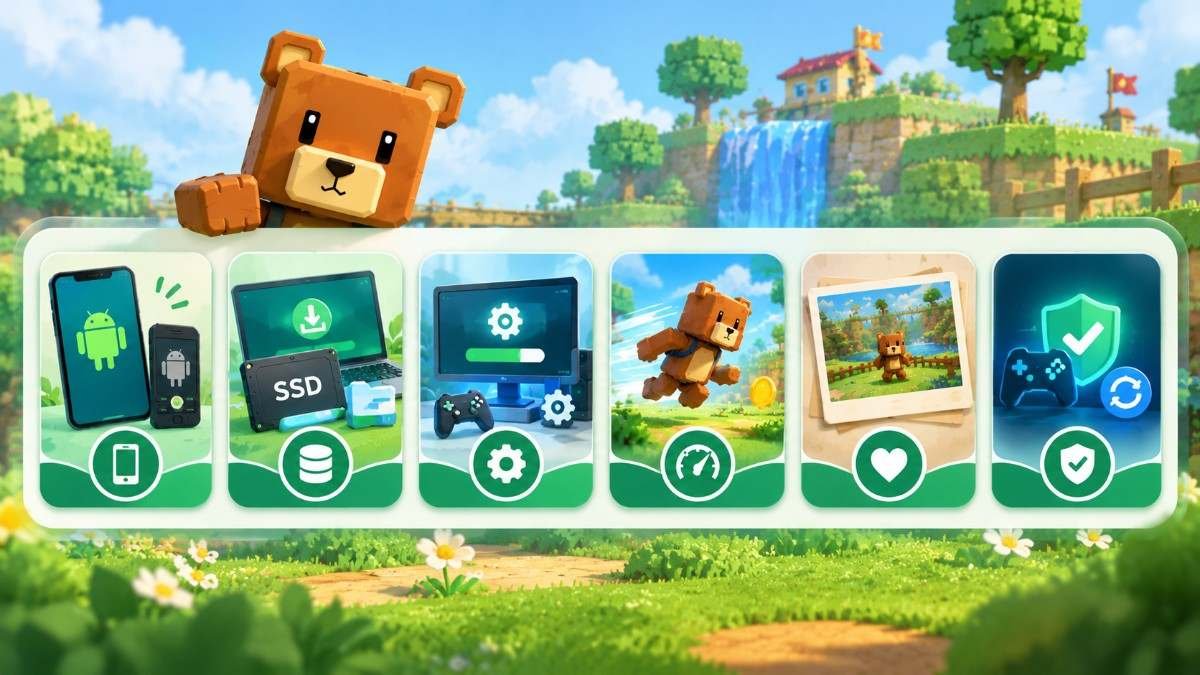
The most useful old version for many players is 12.1.5, the last update before the big 13.0 release. It still runs on Android 6.0, while the latest version needs Android 7.1 or newer.
| Detail | Information |
|---|---|
| Game name | Super Bear Adventure |
| Developer | Earthkwak Games |
| Latest version | 13.0.8 (October 5, 2026) |
| Last version before 13.0 | 12.1.5 (April 29, 2026) |
| Android needed for 12.1.5 | Android 6.0 or newer |
| Android needed for 13.0.7 and later | Android 7.1 or newer |
| Size of 12.1.5 | About 173 MB |
| Price | Free, with ads and optional in-app purchases |
| First release | June 10, 2017 |
Super Bear Adventure Old Versions History
Every date and change below comes from the developer’s official changelog.
Previous Version Updates
| Version | Release date | Main changes |
|---|---|---|
| 13.0LatestThe Bundles Update | July 20, 2026 | Crystalline Lagoon, Hardcore Mode, 150+ items, new wardrobe |
| 12.1 | October 16, 2025 | Group emotes, Super Bear Fighters arcade game, new daily missions |
| 12.0The Multiplayer Update | July 2, 2025 | Online co-op for 4 players, mole bonus levels, emotes, wall run |
| 11.1The Pirate Update | April 23, 2024 | Drivable pirate ship in the desert |
| 11.0The Cosmetic Update | April 5, 2024 | Item combining and levels, Pierre Music Kit |
| 10.5The Driving Update | November 7, 2023 | New vehicle physics, go-kart in the Arcade World |
| 10.4 | August 22, 2023 | Capitalos’ Wheel of Fortune, secret climb challenge |
| 10.2 | May 10, 2023 | Photo Mode, SBA Gold |
| 10.0The Hive Update | November 10, 2022 | New Hive level, new soundtrack, rewritten story |
Major Gameplay Changes
The biggest shifts came in 10.0, which replaced the original Hive and soundtrack, and in 12.0, which added multiplayer and new moves. Version 13.0 then removed the Wheel of Fortune and introduced paid cosmetic bundles.
Important Bug Fixes
Version 12.1.4 fixed a bug that could corrupt save files and erase all progress. Version 13.0.3 made Android keep save files after uninstalling, and 13.0.8 fixed physics problems from 13.0.6.
Why Do Players Prefer Older Versions?
• Older phones. Since version 13.0.7, the game needs Android 7.1 or newer. Phones on Android 6.0 or 7.0 can still run 12.1.5.
• Lighter downloads. Version 12.1.5 is about 173 MB, while 13.0.8 is about 218 MB.
• Removed features. The Wheel of Fortune was removed in 13.0. The original Hive and soundtrack were replaced in 10.0.
• Speed running. Movement and physics change between updates, and the developer has reverted some changes for speed running reasons. Some speed runners prefer a version they know well.
• Nostalgia. Some players simply enjoy the game as they first played it.
.
Best Features of Super Bear Adventure Old Versions
Classic Gameplay and Maps
Versions before 10.0 include the original Hive level and the game’s first soundtrack. The core worlds have been part of the game for years: Turtletown, Snow Valley, the Beemothep Desert and the Giant House. Version 12.1.5 adds the Mole Mines, the Astral Temple and the Astral Dunes as bonus levels. It does not include the Crystalline Lagoon or Hardcore Mode, which arrived in 13.0.
Character Customization
From 11.0 onward, you can combine and level up items and save outfits. Versions 10.4 to 12.1.5 also include Capitalos’ Wheel of Fortune, which SBA Gold owners could spin for legendary items. It was removed in 13.0 when cosmetic bundles were added.
.
Previous Game Mechanics
Older versions feel slightly different to play. Wall running and sideways ledge movement arrived in 12.0. The boss fights against the Yeti and the Rat were shortened in that update, and the Turtle Golem boss was reworked in 10.3.2 and 11.0. Players on older versions get the earlier versions of these fights.
Multiplayer Features
Multiplayer exists only from version 12.0. Anything older is single-player only. Versions 12.0 to 12.1.5 support four-player co-op, but you can only join players on the same version as you.
.
Super Bear Adventure Old Version vs Latest Version
The latest version has the most content and fixes. Older versions mainly help if your device cannot run the newest update.
| Feature | 11.1(2024) | 12.1.5(April 2026) | 13.0.8(latest) |
|---|---|---|---|
| Minimum Android | Check the file listing | Android 6.0 | Android 7.1 |
| Multiplayer | No | Yesup to 4 players | Yesup to 4 players |
| Mole bonus levels | No | Mole Mines, Astral Temple, Astral Dunes | All, plus Crystalline Lagoon |
| Hardcore Mode | No | No | Yes |
| Wheel of Fortune | Yes | Yes | Removed |
| Cosmetic bundles | No | No | Yes |
| Emotes | No | Yes | Yes |
| Save-corruption fix | No | Yes | Yes |
| Saves kept after uninstall (Android) | No | No | Yes |
| Notch-safe screen layout | No | No | Yes |
| Joins latest multiplayer parties | No | No | Yes |
If your phone runs Android 7.1 or newer, the latest version is the better choice. It has every level and the newest fixes, and it works with friends who keep their game updated.
How to Play Super Bear Adventure Old Version on Android & PC
The Play Store only offers the latest version, so an old version has to be installed from an APK file. Use the original, unmodified APK only.
Android Compatibility
1. Check your Android version in Settings > About phone.
2. Pick a version that supports it. For example, 12.1.5 needs Android 6.0 or newer.
3. Uninstall the newer version first. Android will not install an older version over a newer one.
4. Download the APK, then allow Install unknown apps for your browser or file manager when Android asks.
5. Open the APK and tap Install.
6. Turn off auto-update for the game in the Play Store, or it may update back to the latest version.
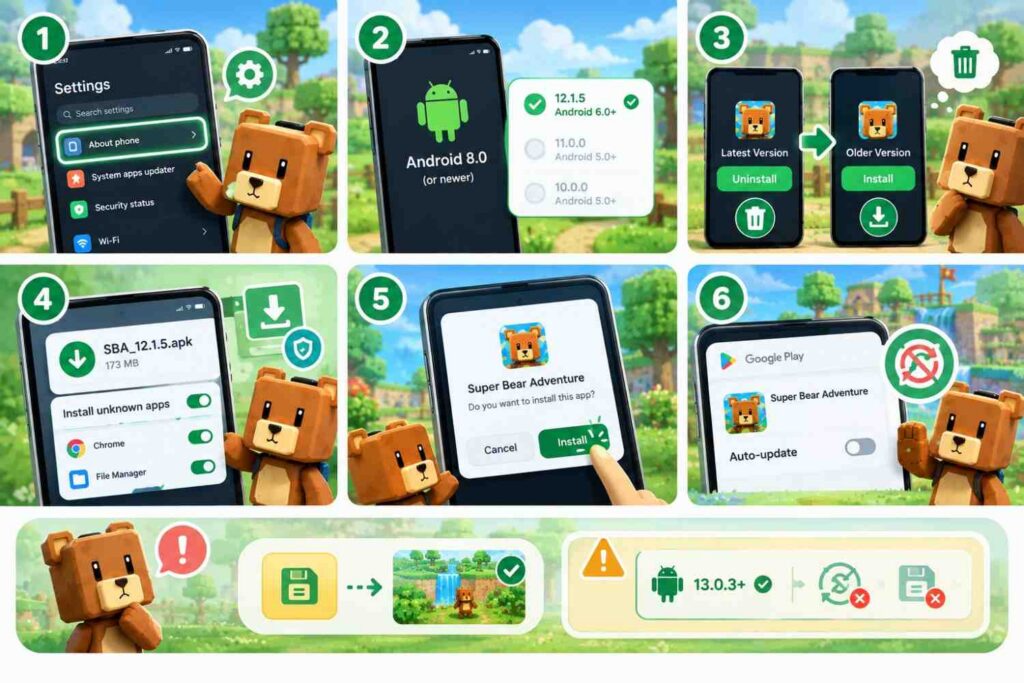
Uninstalling can delete your progress. Android keeps save files after uninstalling only if the installed version is 13.0.3 or newer, and an older version may not be able to read a newer save. Read the warnings below first.
PC Compatibility
Google Play Games on PC only installs the current Play Store version, so it cannot run old versions. To play an old version on PC, use an Android emulator such as BlueStacks, which lets you install an APK file directly. Download the emulator from its official website, then drag the APK into the emulator window or use its Install APK option.
Common Problems With Older Versions
Installation Issues
“App not installed” usually means a newer version is still on your device, or the APK does not support your Android version. Uninstall the current game, check the version’s minimum Android requirement, and download the file again if it may be damaged.
Game Crashes
Old versions were not built for newer Android releases, so some may crash or show graphics errors on recent phones. Try a slightly newer version, restart your phone, and free up storage.
Multiplayer Compatibility
You can only join players on exactly the same version. The invite code format also changed in 12.1.4, so versions older than that cannot join parties made on newer versions.
Important Things to Know Before Using Older Versions
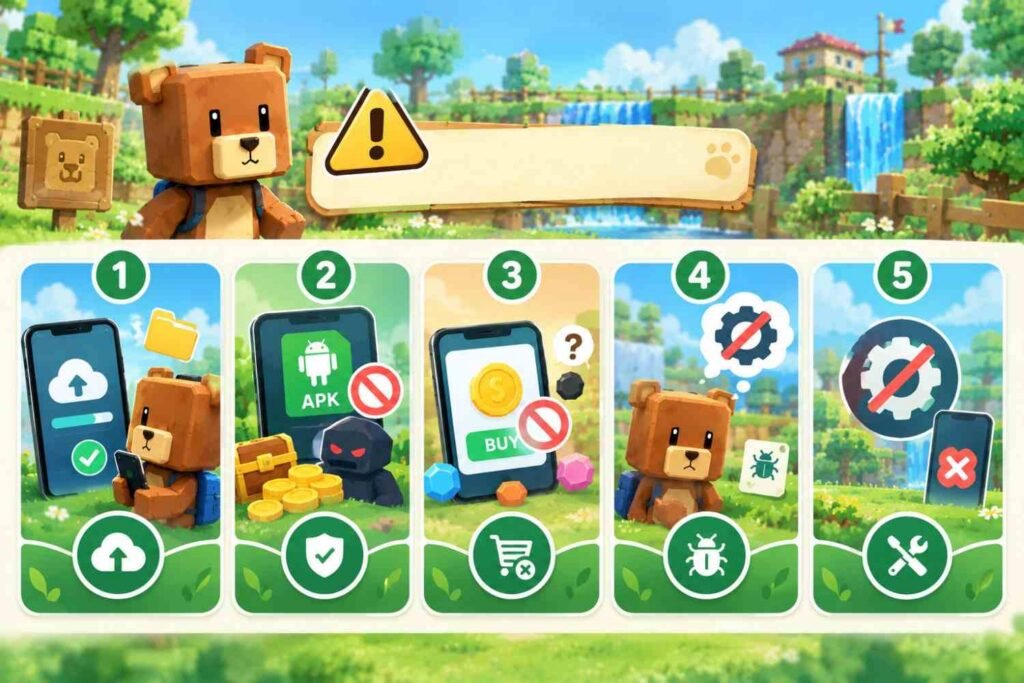
• Back up your progress first. Going back to an old version can mean losing your save, and newer saves may not work in older versions.
• Avoid modded files. Only use original APKs from Earthkwak Games. Files promising unlimited coins or unlocked items are not official and can harm your device or save.
• Purchases may not show up. In-app purchase fixes arrived in later versions, so bought items may not unlock correctly on very old builds.
• You miss bug fixes. Older versions do not have later fixes, such as the 12.1.4 save-corruption fix.
• No new fixes. The developer releases fixes as new updates, so problems in old versions will not be patched.
Frequently Asked Questions
Conclusion
Super Bear Adventure old versions are useful if your phone is on Android 6.0 or 7.0, or if you miss features such as the Wheel of Fortune. Back up your progress, use only original APKs, and switch to the latest version whenever your device supports it.